Gemini vs Wispr Flow: The Free Alternative I Actually Use
9 minute read
Published 3 September 2026
By Manie Eksteen

I paid $15 a month for Wispr Flow for the better part of a year. I don't anymore, and it's not because Wispr Flow got worse. It hasn't. Google shipped an upgrade to Gemini's Mac dictation a week ago and it's the first free Wispr Flow alternative that's actually held up as a daily driver.
This is the honest Gemini vs Wispr Flow comparison plus the full four-step setup. If you're a Wispr Flow subscriber weighing the switch, jump to the comparison table. If you've never dictated a word into your computer, start with setup.
The 60-second verdict
- The tool: Google Gemini's "Speak to Window" dictation on Mac, powered by the new Gemini 3.5 Transcribe model (rolled out 26 August 2026).
- The price: Free. Included in the Gemini app for macOS, no subscription required.
- The move: Double-tap a shortcut key, speak, and text lands wherever your cursor is: WhatsApp, Gmail, Docs, Slack, anywhere.
- Why I switched from Wispr Flow ($15/month): better accuracy on my accent, no monthly cost, and it does more than transcribe: it can read your screen and act.
- Who Wispr Flow still wins for: specialised vocabulary (medical, legal, technical terms you need to train), built-in meeting notes, and Windows users.
What actually changed on 26 August 2026
Gemini's Mac dictation has existed since late July 2026, the "Speak to Window" feature that lets you hold a shortcut and talk into any app. What changed on 26 August is the underlying speech model.
Google announced Gemini 3.5 Transcribe, and it now powers Mac dictation. The result you feel as a user is simple: it picks up your voice better, edits out the "ums", and turns your rambling into clean text with fewer corrections. This is what pushed it past Wispr Flow for me. Not the feature list. The accuracy.
It's rolling out globally on the Gemini for Mac app in English. Chrome "talk to type" is rolling out to Google AI Pro and Ultra subscribers in the US next.
Setup: 4 steps, 5 minutes
Get this right once and you never touch it again. Screenshots below each step.
Step 1: Download the Gemini app for Mac
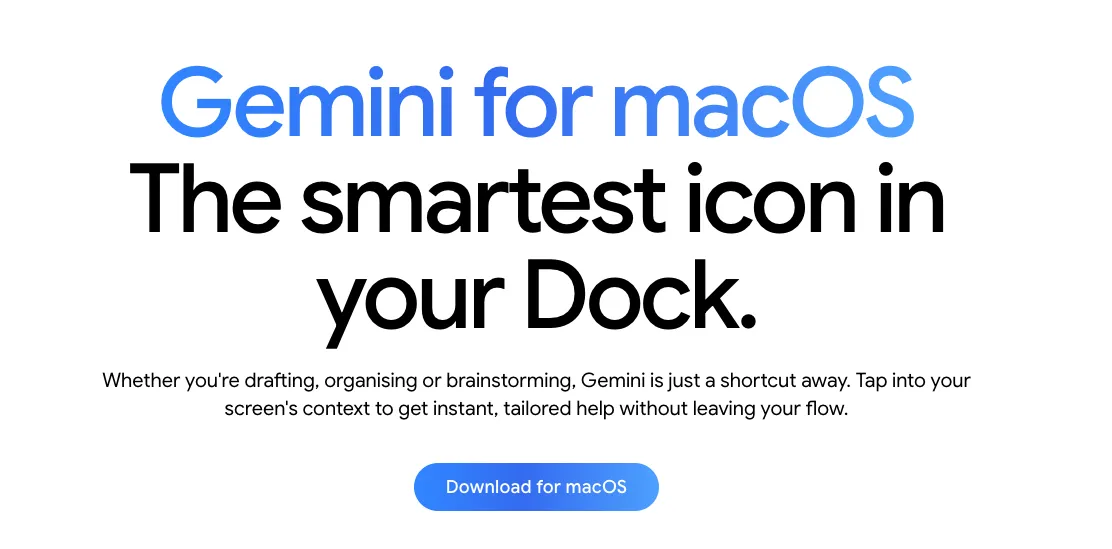
Head to the Gemini app download page and grab the Mac installer. It's free, with no Google AI subscription required for the dictation feature.
Step 2: Open Gemini's settings and find "Speak to Window"
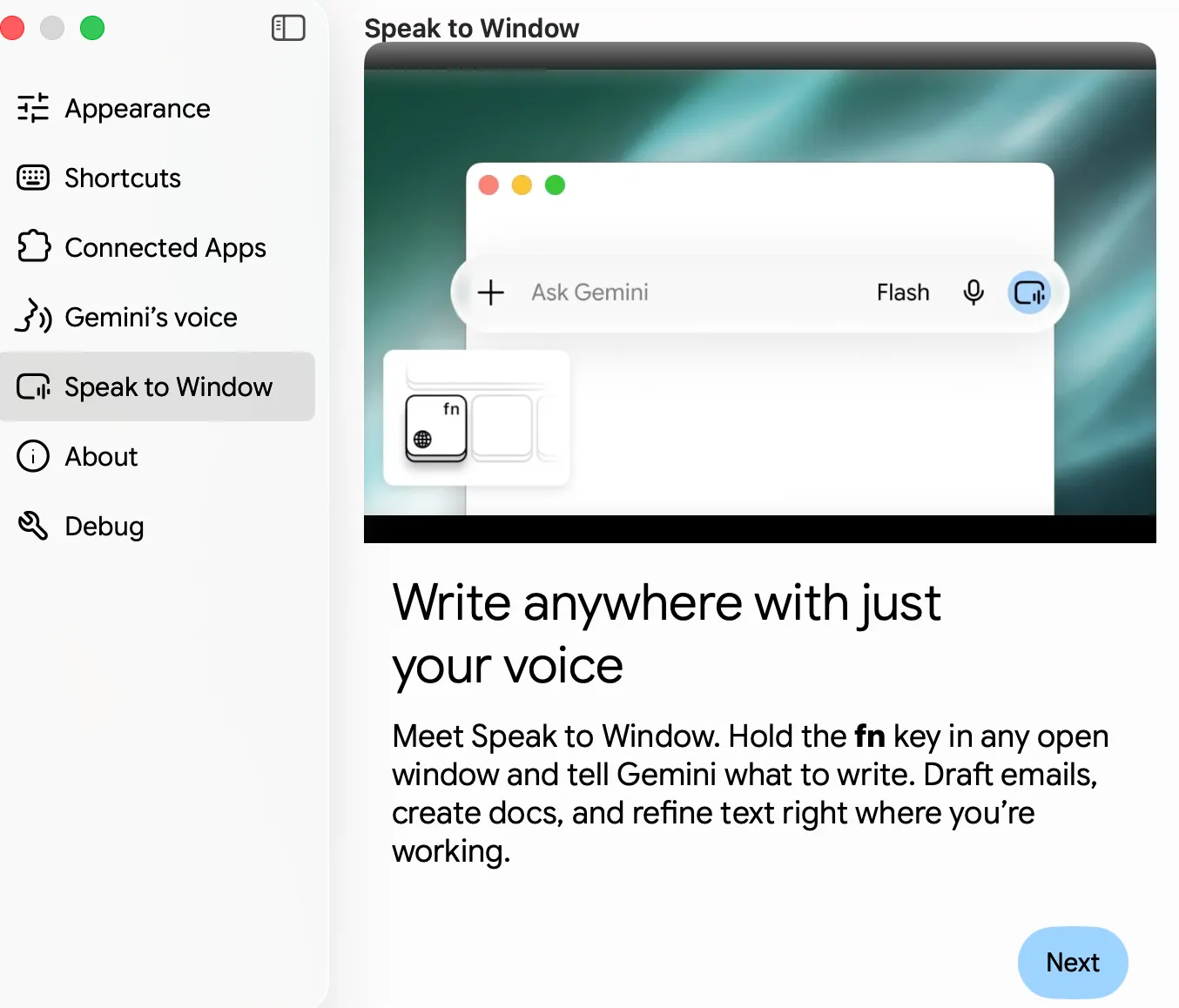
Once installed, open Gemini and go to the settings panel. Scroll to the Speak to Window section. Google has a step-by-step how-to on enabling intelligent dictation on macOS if you get stuck. This is the feature that lets Gemini type into any open window on your computer, not just the Gemini chat.
Step 3: Set your shortcut
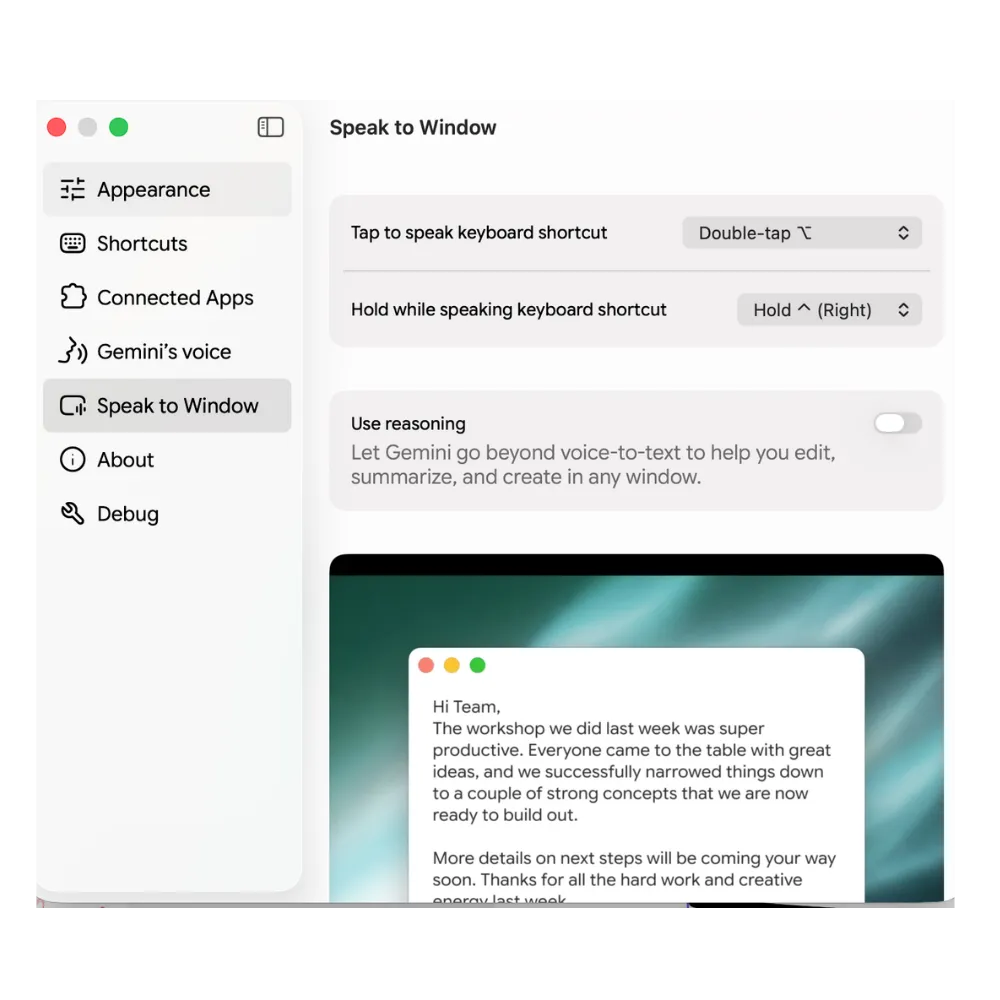
Inside Speak to Window, pick your tap-to-speak shortcut (a quick double-tap) and your hold-to-speak shortcut (press and hold while you talk). I use double-tap of the Function (Fn) key: fast, no muscle memory to rewire.
Turn on Use reasoning while you're here. This is what makes it more than a dictation tool: it lets Gemini edit, summarise and act on what's on your screen, not just type what you say.
Step 4: Double-tap, speak, watch the text land
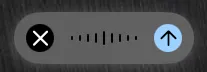
Double-tap your shortcut key from anywhere on your Mac: inside WhatsApp Web, Gmail, a Google Doc, an email draft, a Slack message. You'll see a small recording bar appear. Talk. Stop. The text lands exactly where your cursor was, cleaned up, ready to send.
That's the whole setup. Everything else in this guide is why this matters more than the average dictation tool.
The demo that sold me: voice → action, not just words
The moment Gemini's dictation went from "nice" to "I'm cancelling Wispr Flow" was when I realised it reads my screen.
Inside Excel, I can double-tap the shortcut and say "SUM the entire column." It reads what's on screen, understands what I'm looking at, and sums the column for me. Not "types out SUM(A1:A100)." Actually does it. This is the same pattern that's showing up across the whole AI stack (the shift from "type what I say" to "act on what I see"), and if you want the fuller picture of how it plays out in other tools, my Claude Chat vs Cowork vs Code guide walks through the same mechanic on the Claude side.
Gemini vs Wispr Flow: head-to-head
| Gemini for Mac | Wispr Flow | |
|---|---|---|
| Price | Free | $15/month (or $12/month billed annually) |
| Free tier | Yes, full feature set | Yes, capped at 2,000 words/week |
| Voice-to-text accuracy | Excellent on my voice | Very good |
| Custom dictionary training | ❌ No | ✅ Full custom dictionary |
| Screen-aware agentic execution | ✅ Yes (reads screen, executes in-app) | ❌ Transcription only |
| Built-in meeting notes | ❌ No (use Google Meet) | ✅ Yes |
| Platforms | macOS (Chrome rolling out) | macOS, Windows |
| Language support | Rolling out in English (85 languages on the underlying model) | Multiple |
Now the honest bit: Wispr Flow is still an epic tool. I used it for months, loved it, and if you're a paying customer today, you're not using a bad product. The comparison table isn't about winners and losers. It's about which one fits your workflow.
Is this Wispr Flow alternative right for you?
Gemini for Mac wins for you if:
- You dictate daily: WhatsApps, emails, docs, brainstorms
- You already live inside Google's tools (Docs, Sheets, Gmail, Meet)
- You want something that does more than transcribe: something that can actually act on what's on your screen
- You don't need to train a custom dictionary
- You'd rather not add another monthly subscription
Wispr Flow still wins if:
- Your work has specialised vocabulary: medical, legal, technical, industry-specific terms Gemini won't get right without training
- You need built-in meeting-notes capture as part of the same tool
- You're on Windows (Gemini's native dictation is Mac-only for now)
- You already have Wispr Flow set up exactly how you want it and the switching cost isn't worth it
My one-week verdict
One week in, I've used Gemini for dictation literally everywhere. WhatsApps. Emails. Brainstorming into my notes app. Prompting my other AI tools. Even my shopping list.
The thing that surprised me is the accent. I've got a wacky, proudly South African accent that most voice tools have to think about. Gemini's the first one that just gets it: first go, no corrections, no re-dictation. That alone was worth switching for.
The one honest gap: I can't train it. Wispr Flow lets you build a custom dictionary: names, brand terms, technical vocabulary. Gemini either understands you or it doesn't. For 95% of what I dictate every day, it understands me. For the 5% where it doesn't, I edit the text after. That trade-off is worth $15 a month to me. Your ratio might be different.
Frequently asked questions
Is Google Gemini's Mac dictation free?
Yes. The Speak to Window feature and the underlying Gemini 3.5 Transcribe model are included in the free Gemini app for macOS. You don't need a Google AI Pro or Ultra subscription to use dictation on Mac. The paid Gemini plans give you other features like Deep Research and higher usage limits on the chat side, but not the dictation itself.
Does Gemini dictation work on Windows or Linux?
Not natively yet. The Speak to Window feature is currently macOS-only. On Windows, Gemini's "talk to type" is rolling out through the Chrome browser to Google AI Pro and Ultra subscribers in the US, in English. If you're on Windows and want a comparable experience today, Wispr Flow is still the better option.
How accurate is Gemini's voice-to-text compared to Wispr Flow?
On my own voice, Gemini's noticeably more accurate after the 26 August 2026 Gemini 3.5 Transcribe upgrade. That's a personal read, not a benchmark. Both tools are excellent. The real difference is whether your voice trips up the default model. If it does, Wispr Flow's custom dictionary is the safer bet. If it doesn't, Gemini gets you there for free.
Can Gemini's dictation understand strong accents?
Better than most. I have a strong South African accent, and it's the first dictation tool I've used that picks it up cleanly on the first go. That's not a guarantee for every accent, but the underlying model was built to handle a wide range of voices, and the results I've seen are a real step up from what came before.
What's the difference between Gemini's dictation and Wispr Flow?
Gemini transcribes what you say and, with reasoning turned on, can also act on what's on your screen: summing an Excel column, editing a doc, drafting a reply based on the email in front of you. Wispr Flow is a pure transcription tool, but with deeper training options like a custom dictionary. Gemini is free; Wispr Flow starts at $12 per month billed annually. Different tools for different jobs.
Can Gemini dictation do more than just transcribe?
Yes. With Use reasoning turned on, Gemini reads what's on your screen and can execute actions inside the app you're using. In Excel, it can run a SUM. In Docs, it can rewrite a paragraph. In Gmail, it can draft a reply. That's the agentic layer that transcription tools don't have.
What happens to Wispr Flow if I want to cancel?
You can cancel from your Wispr Flow account settings. The free tier stays available (capped at 2,000 words per week), so you can keep it as a fallback for the specific tasks where its custom dictionary earns its keep, and use Gemini for the daily volume.
How does Gemini's dictation compare to Apple's built-in Mac dictation?
Apple's dictation transcribes; Gemini transcribes and reasons on-screen. Apple runs on-device (better for sensitive content). Gemini sends audio to Google's servers for processing (a privacy trade-off worth being aware of, especially for anything confidential). Both are free. If you only need to transcribe and privacy matters, Apple is the safer default. If you want the extra layer of agentic execution, Gemini.
The takeaway
If you're paying $15 a month for Wispr Flow and your voice work is mostly general (emails, docs, messages, brainstorming), the Wispr Flow alternative you want is already free and already on Mac. Install Gemini, set your shortcut, use it for everything for a week, and see which tool you keep reaching for. That's the whole test.
The bigger point sits underneath: tools compound faster than you can lock into any single one. The right move isn't loyalty to a product. It's a workflow lean enough to swap the tool when a better one shows up. That's the layer I build for clients.