Lesson 1
How to Use Claude Projects So AI Knows Your Business
Create one Claude project for your business, link a folder on your computer to it, and tell it to read CLAUDE.md first. Then let your first chat build that file with you, and every chat starts from your business.
Set it up once
Published 30 October 2026
By Manie Eksteen
In this lesson
- Why one project, and not a new chat every time
- How to use Claude projects: what you need
- Step 1: Create a project for your business
- Step 2: Link a folder on your computer
- Step 3: Tell it to read CLAUDE.md first
- Step 4: Build your CLAUDE.md with the prompt
- Step 5: Ask it something only your business knows
- Claude project instructions: an example
- Where it grows: your knowledge base
- What goes in, and what stays out
- On Claude's free plan?
- Frequently asked questions
- The takeaway
Here's how to use Claude projects so you stop re-explaining your business to AI every single time you use it. You build one project for your business, link it to a folder on your computer, and tell it to read one file first: CLAUDE.md. Then your first chat writes that file with you.
I set this up on camera with a made-up guest house. I asked it what a guest would, and it answered with the right breakfast times and our pet rules, in our own voice, without me explaining it again. Here's every step, and the prompt to get you started.
Why one project, and not a new chat every time
Every new chat with AI starts from nothing. You explain who you are, what you sell and how you write, and tomorrow you explain it again.
The fix is one big business project, set up in a structured way, so AI knows your business. It knows your goals, your business files and your context. It knows what to do, what to look for and what tools it has. And you get the outcome you want, every single time.
How to use Claude projects: what you need
- The Claude desktop app. Linking a folder on your computer happens there, not in the browser.
- A paid Claude plan, Pro or above. Projects are free, but projects that work from a folder on your computer come with the paid plans. On the free plan, there's a way round it below.
- A new, empty folder on your computer, named after your business.
- Your house rules and what you offer, in your head or on paper. Claude asks you for the rest.
If you're new to Claude, this guide explains which part of Claude does what.
Steps 1 to 3 and the guest question in Step 5 are from my own screen on 26 October 2026; what each plan includes is checked against Anthropic's help pages. The sources are listed at the end of this guide.
Step 1: Create a project for your business
- Open the Claude desktop app. In the menu on the left, hover over Projects and click the + (Create project).
- Type your business name under "What are you working on?", like "Example Guest House".
- Click Create project.
Step 2: Link a folder on your computer
Make a new folder on your computer with the same name as your project, so the two always match. Then link it:
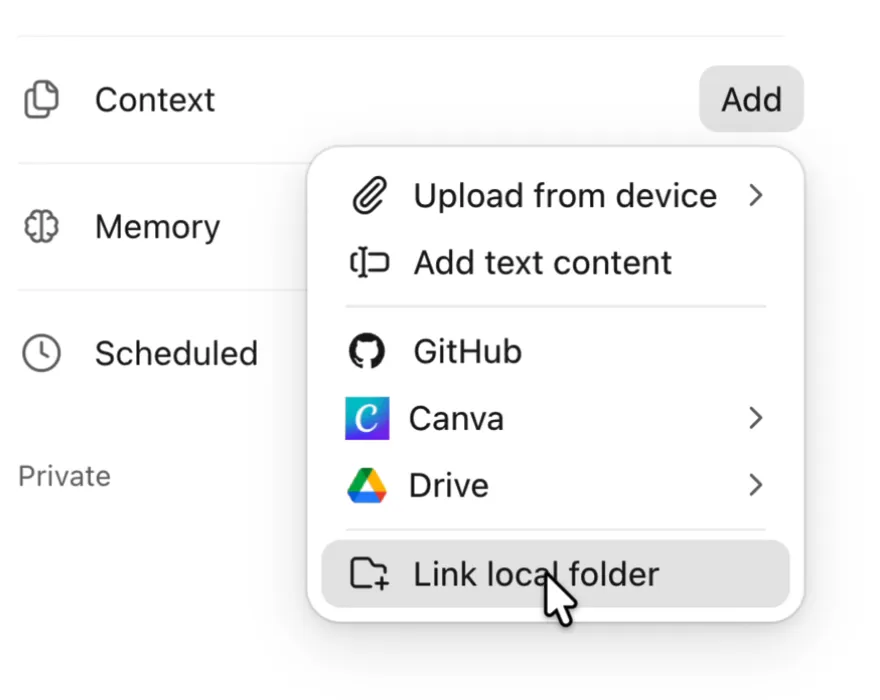
- Next to Context, click Add. It's on your project's page, on the right.
- Click Link local folder.
- Pick your business folder and click Open.
- Click Allow when Claude asks to change files in your folder. Context now shows "1 linked folder".
Step 3: Tell it to read CLAUDE.md first
Instructions are what Claude reads before every chat in the project. Yours are one short paragraph that sends it to your folder first. Next to Instructions, click Add, paste this in, and click Save instructions:
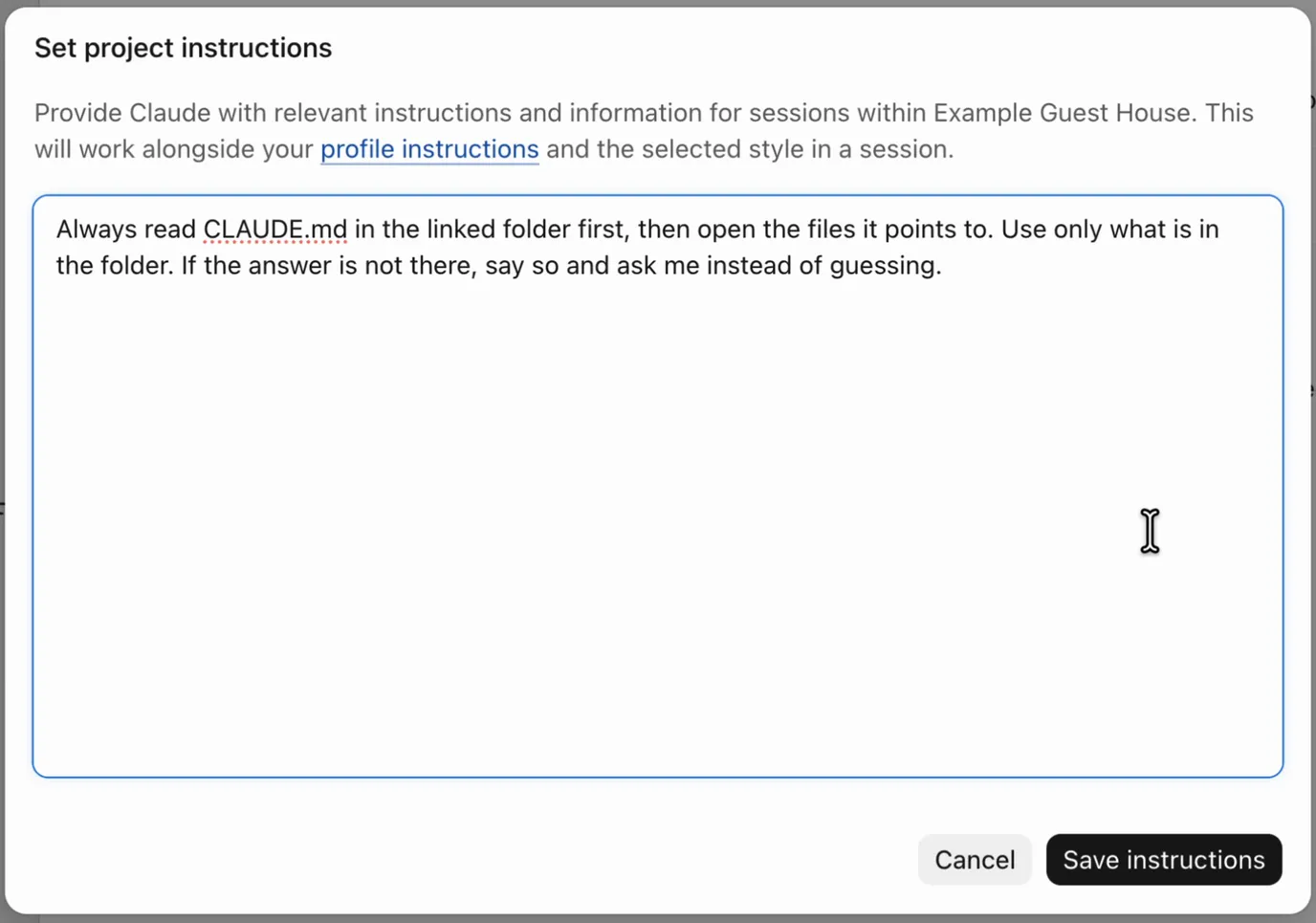
The last sentence matters most. "Say so and ask me instead of guessing" is the line that tells it not to invent a rule you don't have.
Step 4: Build your CLAUDE.md with the prompt
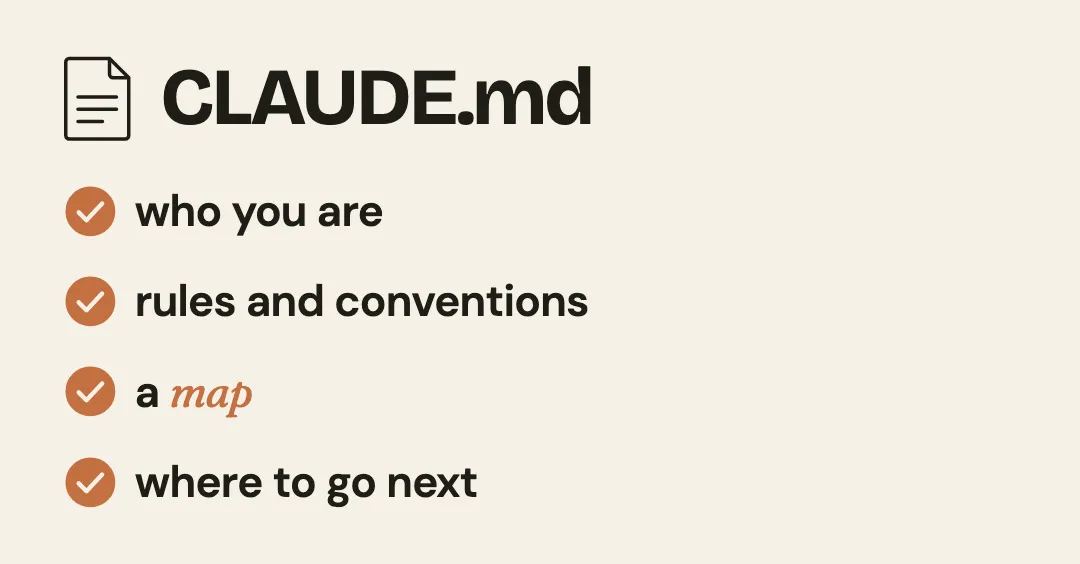
CLAUDE.md is a plain text file at the top of your folder. Because your instructions tell Claude to read it first, it becomes the very first place it goes. It tells Claude a little more about who you are, gives it rules and conventions, and gives it a map: where everything lives, and where to go next.
You don't write it yourself. Your first chat in the project does it with you:
- Open a new chat inside your project.
- Paste in the prompt below with its Copy button, and press Enter.
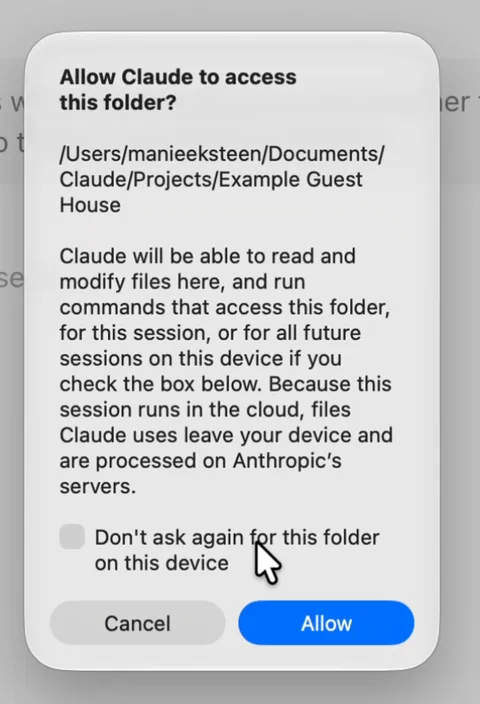
- Click Allow when Claude asks to access your folder. It asks for each new chat until you tick "Don't ask again for this folder on this device".
- Answer one question at a time, in your own words.
I've linked a folder to this project. Help me build CLAUDE.md, the file you read first in every chat, so you know my business before we start. Interview me first, one question at a time, and wait for my answer before you ask the next. I may speak my answers instead of typing them, so keep my words as I say them.

Ask me about:
1. Who I am: my name, my business, where we are, what we do, who our customers are, and what we want this year.
2. Rules and conventions: what you must always do, what you must never say or promise, and how I like things done.
3. The map: what my business runs on, such as our policies, what we offer and how we do things. Then ask how I write, and ask me to paste in two or three real messages I've sent.
4. Where to go next: the questions and jobs I'll bring you most, so you know which file to open for each.

Then build the map in the linked folder, as folders and files. For example:
- business.md: who we are, what we do, who we serve and what we want.
- business/: one file for each part of the business, such as our policies or what we offer.
- voice/voice.md: how I write, with my real messages as examples.

Write CLAUDE.md last, at the top of the folder: who I am in two lines; the rules and conventions (use only what's in this folder, never invent a time, a rule, a price or a detail, never say or promise what I told you not to, and when something isn't here, say so and ask me); and the map, with what each file holds and when to open it.

Use only what I tell you. If an answer is unclear, ask me again. When you're done, show me the folder and ask me to read each file.
Set it up and hit a bump in the road? Email me at manie@tidastra.ai and I'll get back to you with how to fix it, free of charge.
When it's done, open each file and read it. If a time or a rule is wrong, tell Claude, and it fixes the file.
Step 5: Ask it something only your business knows
Open a new chat in the project and ask it something a customer asks you every week, in your own words.
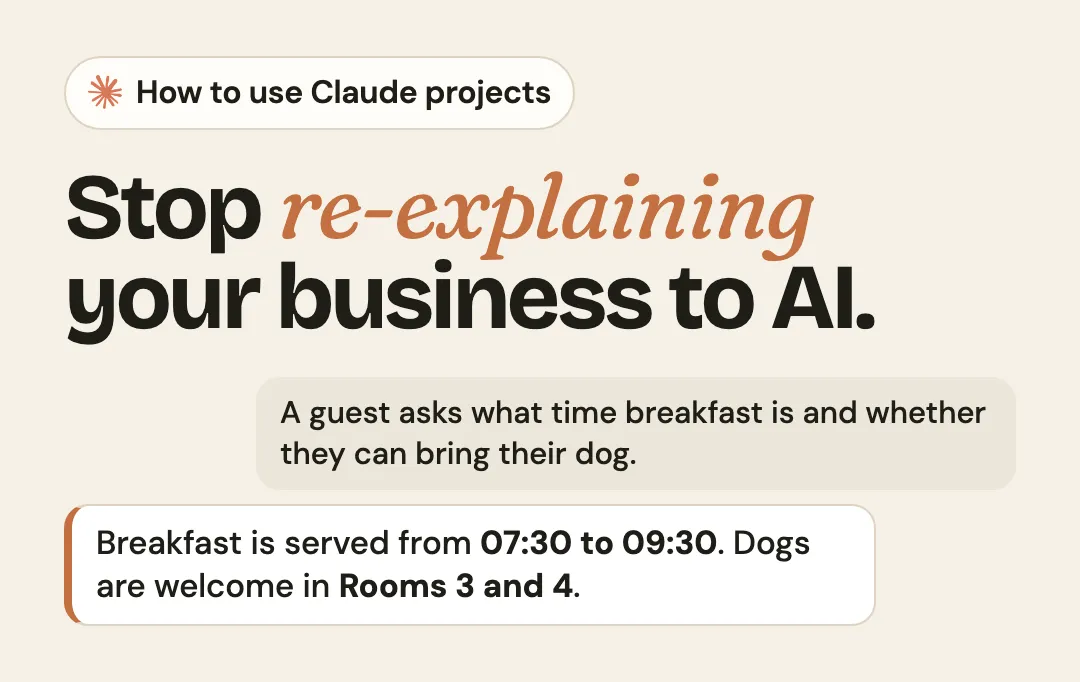
On camera, for our made-up guest house, I asked what a guest would: "A guest asks what time breakfast is and whether they can bring their dog. Reply to them in two short sentences."
Mine came back with: "Breakfast is served from 07:30 to 09:30. Dogs are welcome in Rooms 3 and 4 (they just need to stay off the beds), so let us know if you'd like one of those booked."
It didn't guess. Here's how it found the answer:
- CLAUDE.md first. The instructions from Step 3 send it there before anything else.
- The map. CLAUDE.md told it which file holds our house rules, so it opened that file.
- The answer. That file had the lines it needed: breakfast from 07:30 to 09:30, and dogs welcome in Rooms 3 and 4, off the beds.
Yours should come back with your times and your rules, in your words, from your own files.
If it guesses, or gets a rule wrong, fix the file, not the reply. The answers after it work from the corrected file.
Claude project instructions: an example
Your project's instructions are the one paragraph in Step 3. The real work happens in CLAUDE.md. Here's what the prompt built in a test run, for a made-up guest house:
- CLAUDE.md: who I am, the rules and the map, written last
- business.md: who we are, where we are, what we do, who we serve, what we want this year
- business/
- house-rules.md: check-in, check-out, breakfast, dogs, cancellation, children, parking, availability
- what-we-offer.md: the four rooms and breakfast, and what each includes
- voice/
- voice.md: how I write, with three of my own messages
And here's the CLAUDE.md it wrote, word for word:
# Who I am

I'm Anne. My partner and I run Example Guest House, a four-room bed and breakfast in a small coastal village, about five minutes' walk from the beach.
Our guests are mostly couples on weekends away and families in the school holidays, and this year we want more midweek bookings in winter.

# Rules and conventions

- Use only what's in this folder.
- Never invent a time, a rule, a price or a detail.
- Never promise a room is free. I check the calendar myself.
- Never quote a price.
- Never say "Dear Sir or Madam" and never use an exclamation mark.
- Keep it warm, short and not formal.
- When something isn't here, say so and ask me.

# Map of the folder

- `business.md`: who we are, where we are, what we do, who we serve and what we want this year. Open it for anything about the business itself.
- `business/house-rules.md`: check-in, check-out, breakfast times, dogs, cancellation, children, parking and availability. Open it before answering any question about breakfast times, dogs or any time or rule.
- `business/what-we-offer.md`: the four rooms and breakfast. Open it before answering any question about a room, a bed or the sea view.
- `voice/voice.md`: how I write, with three of my own messages. Open it before writing any reply to a guest in my name.
Where it grows: your knowledge base
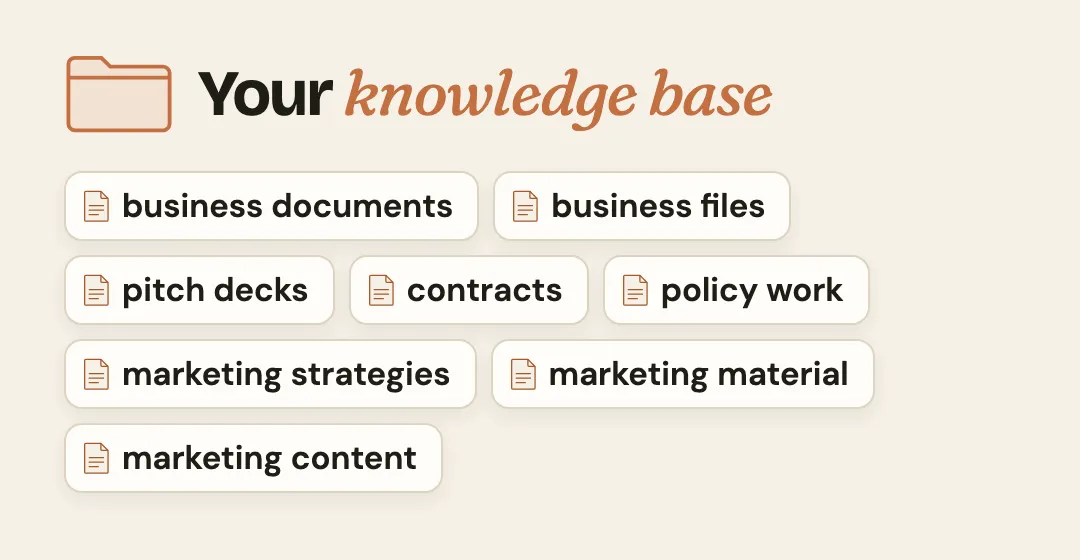
Five files is the start. From here the folder grows into your business's knowledge base: folders and subfolders with your business documents, pitch decks, contracts, policy work, marketing strategies and marketing content. A brand folder, an expertise folder, a research folder. Each time you add one, add a line to the map in CLAUDE.md, so Claude knows where it lives.
And because it's a folder you own, it isn't locked inside one app. As I put it on the video, "you can now use any AI model and just point the AI to it." It grows over time, so it compounds for your business.
What goes in, and what stays out
Put in what you'd pin on the staff notice board: your times, your rules, what you offer and how you like to write. Guests' personal details stay out. Your folder stays on your computer, but when Claude works from it, the files it uses leave your device and are processed on Anthropic's servers, as its message says.
Allow also lets Claude edit, delete and share the files in that folder with connected tools, so link only the new folder you made for this.
And you read every reply before it goes out. Claude drafts; you decide.
On Claude's free plan?
Projects are free, up to five of them, but linking a folder needs the desktop app on a paid plan. You can still get most of the way:
Create the project on claude.ai with New project, named after your business.
Paste this into its instructions:
Always read CLAUDE.md in this project's files first, then open the files it points to. Use only what is in the project's files. If the answer is not there, say so and ask me instead of guessing.Run the prompt from Step 4, and ask Claude to give you each file as text instead of saving it. Save each one and upload it to the project with its + button.
The difference: when your business changes, you update those files by hand.
Frequently asked questions
What is a Claude project?
A project is a space in Claude with its own instructions, context and memory, and every chat inside it uses them. In the desktop app, a project can also work from a folder on your computer. Unlike a normal chat, every chat inside it starts from your business.
Are Claude projects free?
Yes: Claude's free plan includes up to five projects. Linking a folder on your computer to a project needs the Claude desktop app on a paid plan, Pro or above. On the free plan, you add the same files to the project instead.
What is a CLAUDE.md file?
A plain text file that tells Claude who you are, your rules and where everything is. Claude Code reads one by itself at the start of every session. In a project, your instructions tell Claude to read it first, so it's always the first place it goes.
Does this work in ChatGPT, or another AI?
Yes. I left it out of the video, but I run the exact same structure in the ChatGPT desktop app, which has projects too. The only change is the name of the first file: I renamed CLAUDE.md to AGENTS.md, the name OpenAI's tools look for. At the end of the day, any AI reads folders and files: you give it a folder with subfolders and files, and a map telling it where things are.
What about Claude for Small Business?
That's Anthropic's own package, launched in May 2026: ready-made jobs and connections to tools like QuickBooks and HubSpot, switched on inside Claude Cowork, and you approve before anything is sent, posted or paid. A project is the first step, so Claude knows your business before it does any work for it. If you'd like your whole office set up around your business, book a call.
The takeaway
Put your business into Claude once: one project, one folder linked to it, and one line telling it to read CLAUDE.md first. Then let your first chat build that file with you, and every answer starts from your business.
The next lesson is your voice file, so everything AI writes for you sounds exactly like you or your team. Until then, put it to work: answer your Google reviews in your own voice, in five minutes a day. Setting it up for a whole team? Compare the Claude Team plan with ChatGPT Business.
Sources, read on 26 October 2026
- Organize work with projects, Claude's documentation
- Organize your tasks with projects in Claude Cowork, Anthropic's help centre
- How can I create and manage projects?, Anthropic's help centre
- Give Claude context: CLAUDE.md and better prompts, Anthropic's help centre
- Claude for Small Business, Anthropic
Finished this lesson?
Mark it done and it goes into your kit: a Claude project that knows your business.